Your research tools, one middle-click away
Select text, open Research Wheel, then search, save, translate, copy, or cite it without leaving the page.
Research the web without constantly switching tabs.
Save quotes, search research sources, generate citations, and organize your findings, all from your browser.
Free · Open source · Local-first · No tracking
🚀 Support Research Wheel on Product Hunt →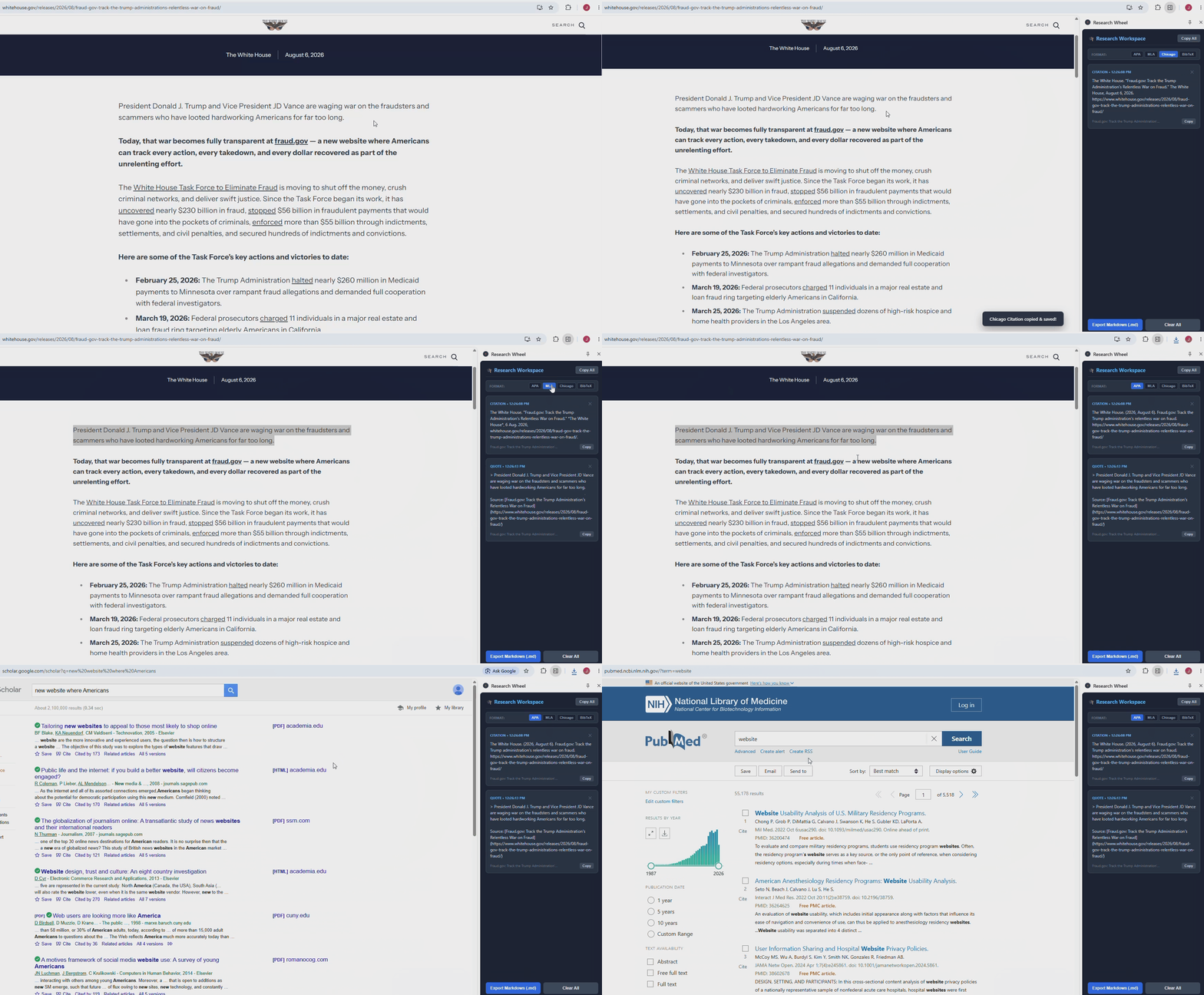
Research without breaking your workflow.
Browse the web normally and find information worth saving, searching, or citing.
Select text and middle-click to open Research Wheel directly where you're working.
Search, translate, copy, generate a citation, or save your research to your workspace.
Useful research tools without the tab chaos.
Select text, open Research Wheel, then search, save, translate, copy, or cite it without leaving the page.
Save quotes, code, and sources as you browse so you don't lose important information across dozens of tabs.
Generate APA, MLA, Chicago, or BibTeX citations without formatting them yourself.
Send selected text to research tools such as Google Scholar and PubMed without manually opening another tab.
Research Wheel runs locally on your computer. No tracking and no external servers.
Research Wheel is designed around local-first research. Your workspace and research tools run locally rather than depending on a remote account or cloud service.
The project is open source, so you can inspect how it works for yourself.
View the source code on GitHub →Learn more about the project and its development.
Put your research tools, notes, and citations closer to the information you're actually researching.
Add Research Wheel to Firefox